Comparisons · office software
The free Office alternative built with AI: is it ready?
WordCraft, GridCraft and DeckCraft copy Word, Excel and PowerPoint for free. What they are, what testers say and why they are not ready for work yet.
Text drafted with artificial intelligence. The topic, the angle and the final review are Ibrahin's. How AI is used here
What has happened
This week three free programs that copy Word, Excel and PowerPoint went viral. They come from ArtCraft, a team that had already done the same with Adobe’s programs. The Register, Thurrott and Tom’s Hardware have covered them, and they are doing the rounds on X.
What stands out is not just that they are free. It is the speed: the first change in all three projects on GitHub dates from the night of 5 October 2026 (New York time), and five days later they were already at version 0.5. They were written largely with the help of AI: the projects themselves include instructions for the Claude assistant and estimate what is left in hours of that assistant’s work.
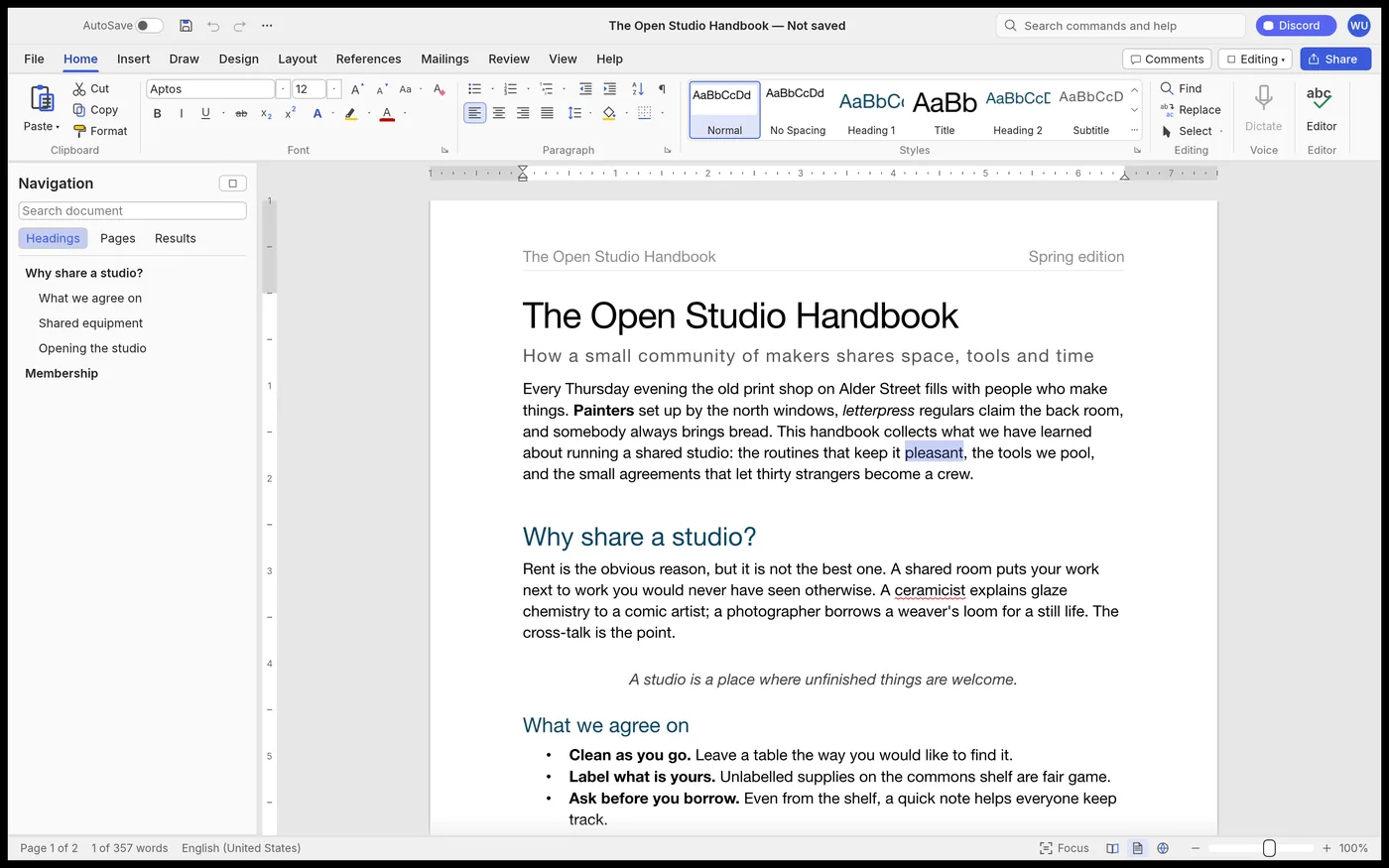
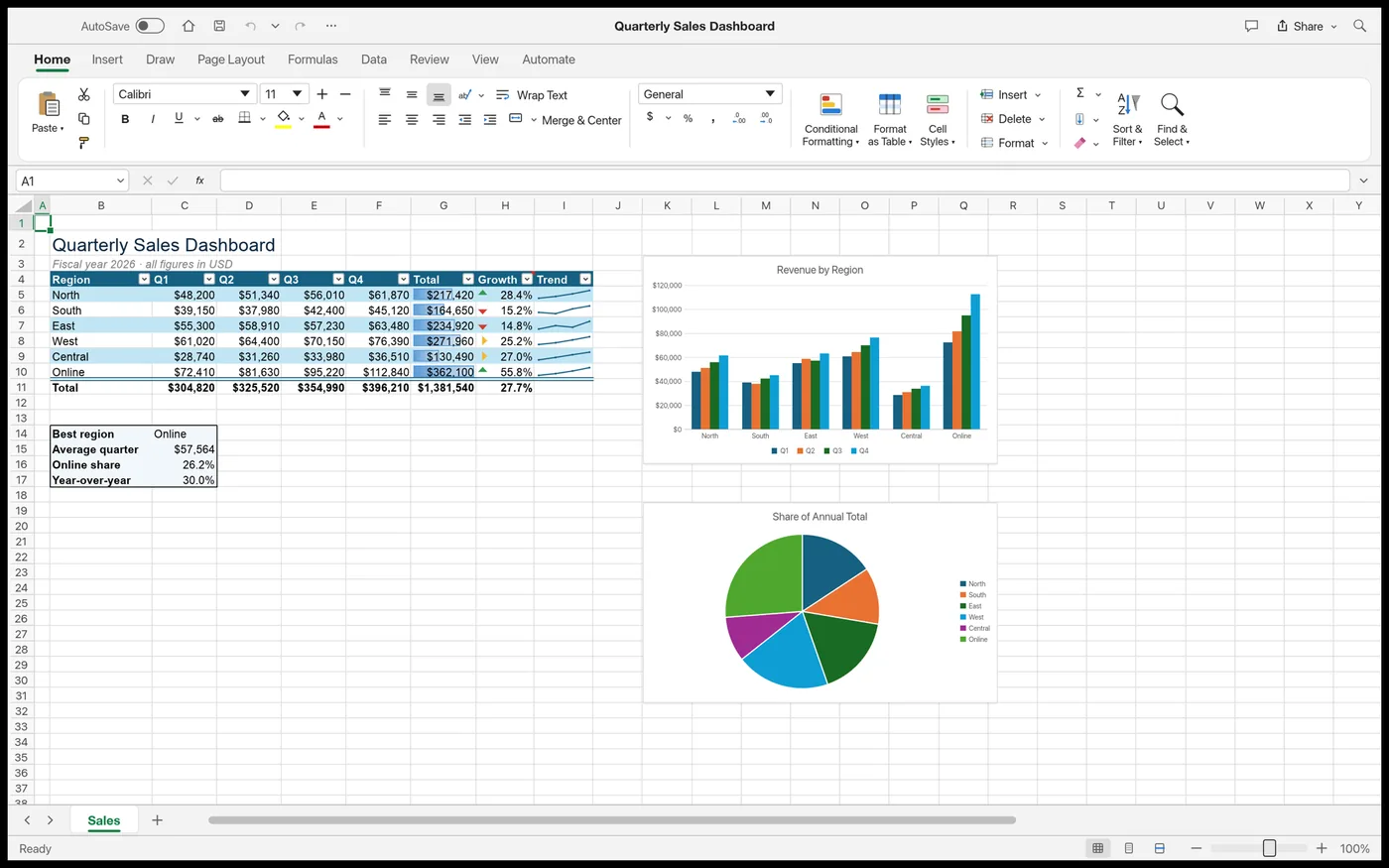
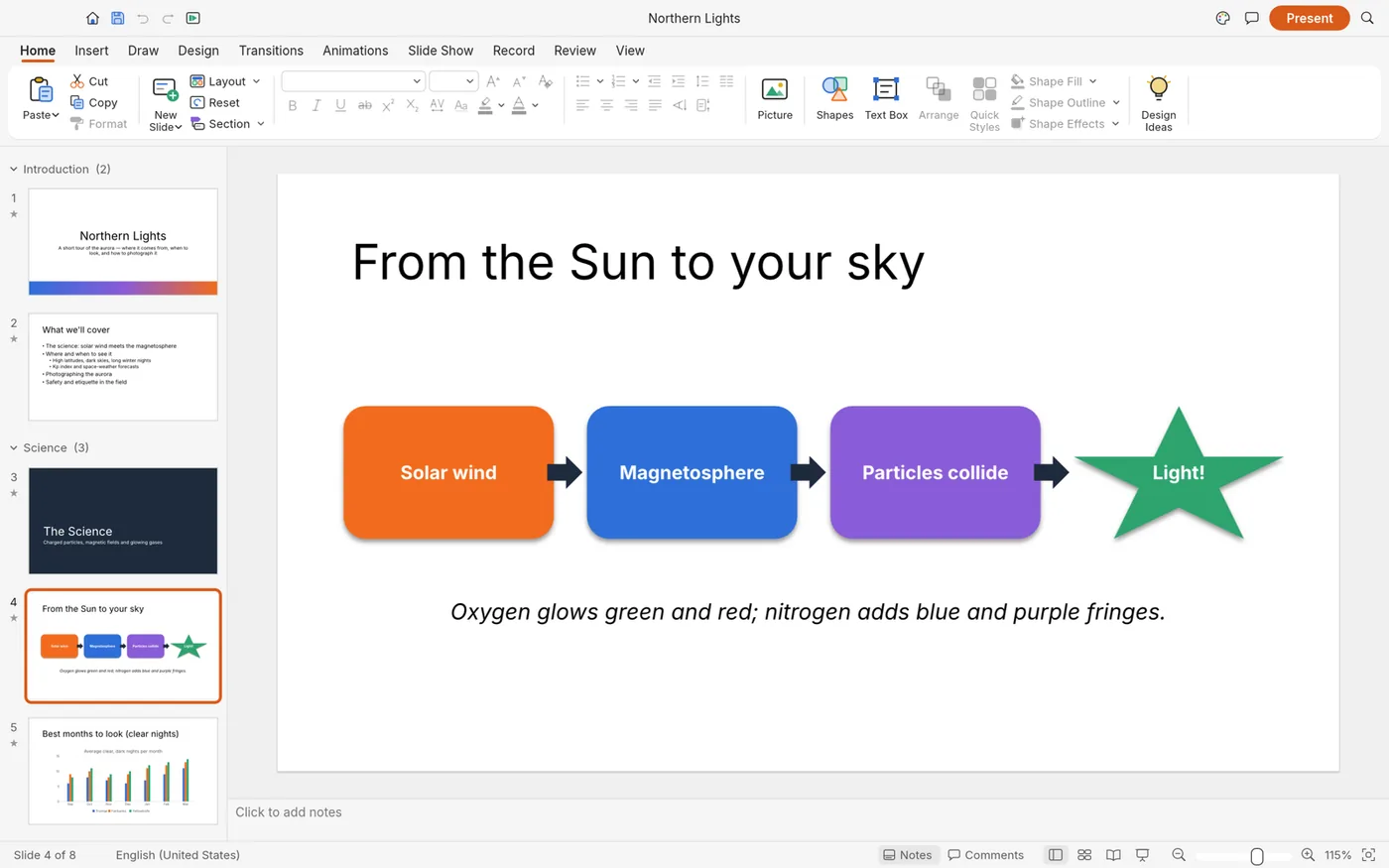
They are three office programs that imitate the way Office works: a ribbon of buttons at the top like Office’s, its keyboard shortcuts and its file types. The buttons and icons are their own. They are written from scratch; the authors say they have not copied any of Microsoft’s code, only observed how Word behaves and followed the public file specifications.
| Program | Replaces | Opens and saves | Ready for real work* |
|---|---|---|---|
| WordCraft | Word | .docx, .odt, .rtf, .txt and more; exports to PDF | ~60% |
| GridCraft | Excel | .xlsx, .csv; does not open .xls yet (it is on the way) | ~50% |
| DeckCraft | PowerPoint | .pptx and its own format | ~55% |
All three are free and open source (MIT or Apache 2.0 licences), require no subscription and, according to their authors, collect no usage data. They run on Windows, Mac and Linux (there is also a browser version, but it has to be installed on your own server). The Windows and Mac installers are signed, which guarantees the file really comes from who it claims to.
Why it matters to you
Because not even their authors consider them finished:
In plain terms: even for the basics, they are not yet two thirds of the way there. And that is their own figure, from the people with the most interest in it going well.
The tech press: The Register, Tom’s Hardware and WindowsForum agree that it is not ready for work yet. The Register tried WordCraft on a Surface with an Arm processor and it worked “pretty well”, but recommends keeping it away from real work for now. WindowsForum sums it up: impressive for a one-week-old project, but not ready to touch your quarterly budget.
On Hacker News, the best-known forum for programmers, the big debate was about their copies of Adobe’s programs: it drew more than 230 comments. Opinions from people who tried their Photoshop replacement range from “works surprisingly well” to “very broken software”. The person who presents himself as their creator wrote there, about those Adobe copies, that they were “not anywhere close to ready” and that he wants to present them again once they are out of beta, the testing phase with users.
The most common criticisms, on Hacker News and in the comments on Tom’s Hardware: that it is AI-generated software made without enough care, that nobody guarantees it will keep being maintained, and that a company needs support and someone to answer. Tom’s Hardware reports that its author, Brandon Thomas, replied insisting that he does know how to code, and that on X he boasted that AI lets him work “as an entire company”.
The legal side. Microsoft acknowledged The Register’s query but did not answer it. A lawyer consulted by that outlet, Neil Brown, explains that it depends on the country and that the authors may argue that, having done it without the original code, they infringe nothing; but he warns that the most affected party has a lot of money and lawyers, and that it would not be unusual for it to end up in court. For you, as a user, the risk is different: if the project stops, you are left without fixes.
What you can do
1. Bear in mind what nobody tells you
- The spell checker only works in English. WordCraft’s menus can be set to Spanish, but its list of gaps says it clearly: spelling and grammar are only checked in English. If you write in another language, the red underline will not help you.
- Opening a file doesn’t mean it will look the same. “Opens and saves .docx” means the file opens, not that it stays identical. Its roadmap admits they have never tested it with real .docx documents and that pages do not break the same way as in Word. If someone sends you a contract or a spreadsheet with macros, do not open it there first.
- A new version comes out almost every day. Between 7 and 10 October all three programs went from version 0.1 to 0.5. It is a good sign that they are making progress, but it also means that what works today may change tomorrow.
- Download it only from its official page. Now that it has gone viral, it is easy for other websites to appear offering downloads, and Licenseware is already warning about the risk of unofficial installers. The only safe source is each project’s releases section on GitHub (WordCraft, GridCraft and DeckCraft) or ArtCraft’s official website.
2. Decide whether it’s any use to you yet
If what you want is to stop paying for Office now, there are free alternatives with years behind them. LibreOffice is at version 26.8 and runs on Windows, Mac and Linux. OnlyOffice has a free desktop version that works with .docx, .xlsx and .pptx files. Both are fit for work today.
3. If you want to try them, do it without risk
- Download it from the GitHub releases page of the program you want (WordCraft, GridCraft, DeckCraft). On most Windows PCs, the file ending in -windows-x64.msi; on a Mac, the one ending in .dmg.
- Make a copy of the document you want to open and always work with the copy, never with the original.
- Open it in your usual program too and compare them page by page: tables, images, page numbers and formulas.
- If something fails, no harm done: your original is intact. And if you fancy helping, you can report the bug to them on GitHub.
4. Compare any Office alternative in a minute
If you are unsure whether to stay with Office or switch to another program, copy this into ChatGPT, Gemini or whichever AI you use, fill in the parts in brackets and let it help you decide:
I want to stop paying for Microsoft Office. Here is how I use it: - What for: [letters, invoices, quotes, schoolwork, presentations…] - Files other people send me: [yes / no, and what type] - Computer: [Windows / Mac / Linux] - What I cannot lose: [macros, charts, track changes, spell checker in my language…] For my case, compare LibreOffice, OnlyOffice and WordCraft, GridCraft and DeckCraft. Tell me in plain language: 1) Which one suits me today and why. 2) What risk I run with each when opening other people’s files. 3) What I should check before switching. If you do not know something or it may have changed, tell me and do not make it up.
The recommendation
Try them out of curiosity, at home and with copies: seeing what AI achieves in a week is impressive. But don't use them yet for your work or for files others send you. If you want to stop paying for Office today, go for LibreOffice or OnlyOffice, and look at these three again when they announce the beta.
Sources
All checked on 11 October 2026.
- WordCraft, GridCraft and DeckCraft, each project’s page on GitHub (description, downloads and licences)
- Roadmaps of WordCraft, GridCraft and DeckCraft (how ready they are, according to their authors)
- WordCraft’s list of gaps (spell checker in English only)
- “Rust upstart reveals reimplementation of Microsoft Office”, The Register (8 Oct 2026)
- “Open Source AI Dev is Going After Microsoft Office, Too”, Thurrott.com (9 Oct 2026)
- “Creator of free Adobe clones unveils open-source Microsoft Office…”, Tom’s Hardware (11 Oct 2026)
- “WordCraft, GridCraft and DeckCraft: Rust Office Clones Are Promising but Still Alpha”, WindowsForum (11 Oct 2026)
- “ArtCraft Apps” thread on Hacker News (4 Oct 2026) and the creator’s comment
- “When AI Can Rebuild Any App: Licensing, IP and Vendor Lock-In”, Licenseware (8 Oct 2026)
- LibreOffice download and OnlyOffice Desktop Editors
Related
- Windows 10 in 2026: the three real ways out
- Your PC can’t run Windows 11: what to buy without overpaying
- Building products with AI without programming
Review
Responsible for publication: Ibrahin. Date: 2026-10-12. Last checked: 2026-10-11. English version: 2026-10-11.