Comparisons · accessories
How to choose accessories that are actually worth it
The four figures that decide whether a charger, cable or hub will work for you, and how to buy only what solves a real problem.
Text drafted with artificial intelligence. The topic, the angle and the final review are Ibrahin's. How AI is used here
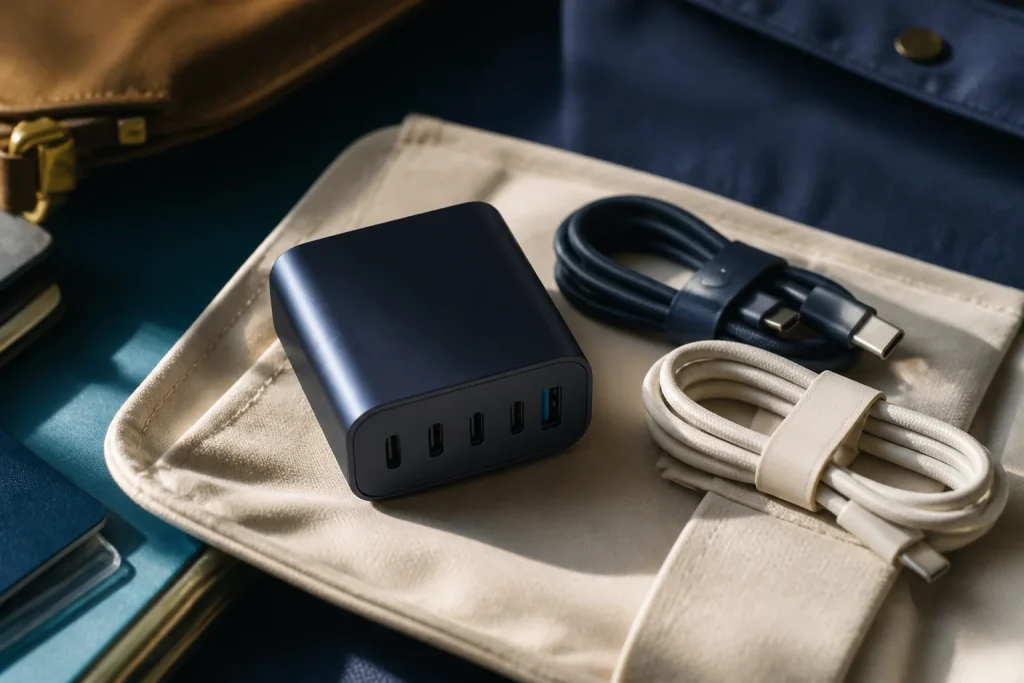
What I would look at first
These go to Amazon. If you buy, Ibrahin earns a commission and you pay the same price.
Picked with this guide's criteria, without testing them. How it is decided
What has happened
The EU common charger directive has reached its second date: laptops placed on the EU market since 28 April 2026 must also have a USB-C port and be able to charge through it. Since 28 December 2024 this has applied to phones, tablets, cameras, headphones, headsets and earbuds, handheld consoles, portable speakers, e-readers, keyboards, mice and portable navigation systems. It applies to these devices when they have a radio (for example, Bluetooth or Wi-Fi) and charge by cable. It counts every device placed on the market since that date, even if it is an older model, and shops may still sell stock placed on the market before that date. These are the four figures that decide which charger or cable to buy:
What the rules and the official specifications say
What to check before paying
The figure, and where it comes from
In buying terms: a USB-C charger with enough power and a suitable cable work for your phone, headphones, tablet and laptop. It’s worth buying once and buying well, instead of piling up one charger per device.
And there’s something worth checking: in the EU, the device’s box, and the listing next to the price if you buy online, must carry a label with the minimum and maximum power, in watts, that its charger needs, and whether it supports USB PD fast charging. And if the shop sells it with a charger, it must also offer it to you without one.
Why it matters to you
Because accessories fool the eye. Two cables that look the same can charge your laptop at full speed or more slowly. A hub with lots of ports may not send a picture to the screen when you use several at once. And a costly mistake is buying a weak cable and blaming the charger.
On top of that, many accessory purchases start with thinking they “might come in handy” and end up in a drawer. An accessory is worth it when it solves a specific annoyance and you know beforehand what it has to do.
What you can do
1. Start from the problem, not the catalogue
Complete this sentence before looking at models: “I want it because…”. A port is missing, the cable doesn’t reach the socket, you need the phone in view on video calls or you want to charge several devices in one place. If there’s no specific annoyance, wait a few days.
2. Check compatibility before you pay
A connector that fits doesn’t mean the accessory does what you need. Check:
- which device you’ll connect and which connector it uses;
- whether the accessory is for charging, data, video output or several of these;
- what power your device needs or accepts: look at the label on the box or the listing;
- for a hub, what happens when you use several ports at once and whether any of them share capacity.
3. Check the power of both the charger and the cable
They’re separate parts and both count. Don’t buy a more powerful charger just because the number is bigger: check your device’s manufacturer supports it. And don’t assume the cable can handle the charger’s power: if the laptop needs more than 60 W, look for a cable marked 240 W.
4. Choose the simplest thing that does the job
- A cable of the right length, if the problem is reaching the socket.
- A charger with the ports and power you need, if you want to use fewer sockets.
- A stable stand, if you want to see your phone or make video calls without holding it.
- A hub, only if you really are short of connections and know what you’ll plug in.
Paying for ports, lights or features you won’t use doesn’t make it a better purchase.
5. Don’t save money where you can’t check
An accessory that goes into the mains or into an expensive device must say who makes it, how to use it safely and what warranty and returns it has. Avoid ones that promise to “charge everything” or “work with any device” without explaining the conditions.
Don’t use a damaged cable, don’t cover a charger’s vents and stop using any part that gets abnormally hot, smells of burning or drops the connection. And don’t plug an adapter of unknown origin into a computer that holds sensitive documents.
The recommendation
If the laptop charges slowly with a charger that should be able to do better, first try another cable rated 240 W: with a 60 W one, the charger limits itself to that power. And before buying any accessory, note four things: device, problem, connection and function. Compare only two or three options that meet all four, and pick the one that’s easiest to return and has the clearest listing.
Sources
- Directive (EU) 2022/2380, common charger — EUR-Lex
- One common charging solution for all — European Commission
- Guidance for the interpretation of the Common Charger Directive (C/2024/2997) — European Commission, EUR-Lex
- Cables and Connectors — USB-IF
- USB Charger (USB Power Delivery) — USB-IF
Related
Review
Responsible for publication: Ibrahin. Date: 2026-09-02. Last checked: 2026-10-18. Dates and devices taken from the EU common charger directive and its guidelines; power ratings from the USB-IF pages. This guide gives general criteria and does not replace the manufacturer’s technical sheet.
Where to see it
Links to the maker’s or the service’s own pages. They are not affiliate links and earn no commission.
Where to buy it
Paid links. They open an Amazon search using this guide’s criteria. If you buy something after following one, Ibrahin earns a commission and you pay the same price.
- 240 W USB-C cables, for laptops that need more than 60 Wamazon.es · paid link
- 65 W USB-C chargers with several portsamazon.es · paid link
- USB-C hubs, if you really are short of portsamazon.es · paid link
- Desk stands for the phoneamazon.es · paid link
As an Amazon Associate, I earn from qualifying purchases. No specific model is linked because none has been tested here: the search applies the criteria and the decision is yours.
How this recommendation was made
Dates and power ratings taken from the EU common charger directive and the USB-IF pages, checked on 18 October 2026.
Amazon searches checked on 9 October 2026. Prices change without notice: check before buying.
No specific models or prices: the searches apply this guide’s criteria.
This guide contains paid Amazon links, marked as such. If you buy after following one, Ibrahin earns a commission and you pay the same price. No recommendation in this text depends on that commission.