Artificial intelligence · AI tools
NotebookLM, now Gemini Notebook: how to use it for free
What Google’s AI that answers only from your documents is, what it costs in Spain, whether the free plan is enough and three ways to try it today.
Text drafted with artificial intelligence. The topic, the angle and the final review are Ibrahin's. How AI is used here
What has happened
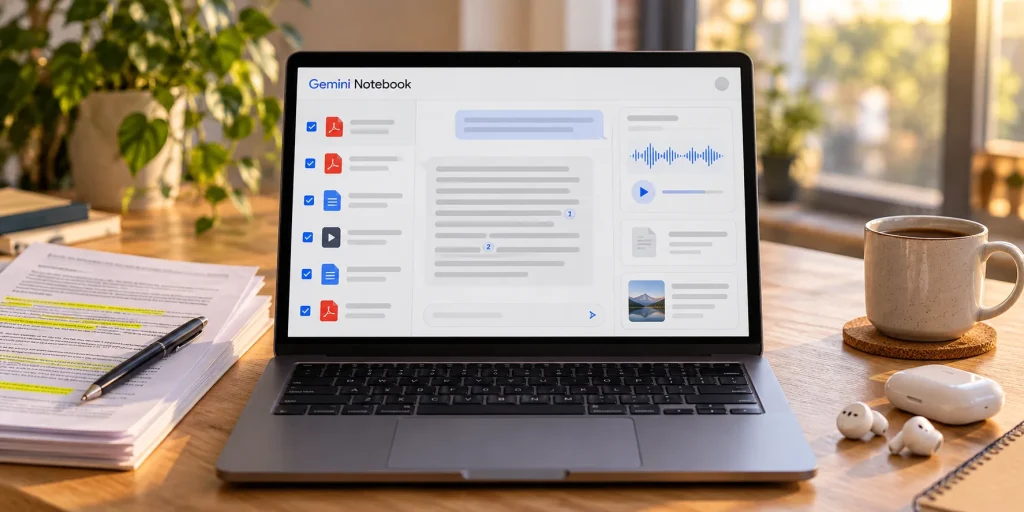
Google renamed NotebookLM to Gemini Notebook on 16 July 2026. It's the same product: the old address takes you to the new one, notebook.google.com, and on your phone the app already shows the new name. Google says more than 30 million people already use it, but in Spain hardly anyone searches for the new name yet, so many people don't know it's the same tool.
And since 2 September 2026 there's no longer a fixed number of questions per day: you have a balance that goes down more or less depending on how complex the question is, how long the conversation is, how many sources you use and which feature you ask for. It refills every 5 hours up to a weekly cap, and you can see how much is left in the settings, under usage.
Why it matters to you
Because it changes how much you can trust it. A chatbot like ChatGPT or Gemini answers from everything it has learnt from the internet. Gemini Notebook does the opposite: you create a notebook, add your documents and it answers only from what's in them, with small numbers that show you the exact paragraph when you tap them. Google warns it can still get things wrong: if an answer matters to you, tap the citation.
You can give it almost anything, up to 500,000 words or 200 MB per source:
- Documents: PDF, Word, PowerPoint, plain text, ePub and Google Docs, Slides and Sheets.
- Web pages: it only takes the text. Paywalled pages do not work.
- YouTube videos that are public and have subtitles: it reads what is said in the video.
- Audio: MP3, WAV and many more. It turns them into text, in English, Spanish and dozens of other languages.
- Photos: of your handwritten notes or a printed page, for example.
- Copied and pasted text, if you do not have the file.
And with one click, its Studio panel turns your sources into other formats:
- Audio overview: a podcast made from your documents. There are four formats: a deep-dive conversation between two voices, a brief summary of under two minutes, a critique and a debate. It can be generated in more than 80 languages and downloaded.
- Video overviews, including short videos of about a minute.
- Mind maps to see at a glance how the ideas connect.
- Flashcards and quizzes for revising.
- Infographics, slide decks and reports built from your sources.
- Finding sources: if you have no documents, type a topic and it searches the web for pages to add to the notebook. The most thorough version, Deep Research, is only available to people over 18.
You can use it free with a Google account. The paid plans are the Google AI ones, which also include Gemini and storage; there's no plan just for this tool:
| Plan | Price | Sources per notebook | Usage |
|---|---|---|---|
| Free | €0 | 50 | Standard |
| Google AI Plus | €4.99/month | 100 | Double |
| Google AI Pro | €21.99/month | 300 | 4 times more |
| Google AI Ultra | €99.99 or €219.99/month | 500 or 600 | 5 or 20 times more than Pro |
The number of notebooks also goes up: 100 on the free plan, 200 on Plus and 500 on Pro and Ultra. The prices come from Google’s official Gemini plans page for Spain (in Spanish) and the limits from the official Gemini Notebook help.
What you can do
1. Decide whether the free plan is enough
If you're at university, Google offers a free year of Google AI Plus in more than 140 countries, Spain included, to those who meet its requirements, until 31 December 2026. It asks for a card when you sign up and, if you don't cancel, starts charging when the year ends.
2. Try it today with a document you’ve been putting off
Go to notebook.google.com, create a notebook and add a document without sensitive data: a contract, a manual, the rules for a grant or a bill you don't understand. To understand it, type in the chat:
Explain this document to me in plain language. Tell me: 1) what it is for, 2) the three things that affect me most, 3) the dates or deadlines I must not forget and 4) what is not clear. Point to the part of the document each thing comes from.
To listen to it while you do something else, in Studio choose the audio overview, the language and the brief format, and paste this into the instructions:
Explain it for someone who knows nothing about the subject. Start with the most important point, use everyday examples and finish by telling me what I need to do next.
And to check you’ve understood it, useful for studying or preparing for a meeting:
Give me 10 multiple-choice questions about these documents, from easiest to hardest. Ask them one at a time and do not tell me the right answer until I reply. At the end, tell me which parts I should go over again.
3. Check whether it did a good job
- Click two or three of the citation numbers and check that the paragraph says the same as the answer.
- If it gives you an important fact without a citation, do not trust it: ask where it got it from.
- Ask it something you know is not in the document. If it makes something up instead of telling you it is not there, be wary of the rest too.
4. Be careful what you upload
With a personal account, Google says your documents aren't used to train the tool, unless you give feedback with the thumbs buttons: then it may review the whole conversation, documents included. With a work or school account, it says nobody reviews it and it isn't used for training.
- Do not press the thumbs buttons in notebooks with personal documents.
- Do not upload ID documents, payslips, medical reports or other people’s documents unless you have to. If you have to, cover the details you do not need first.
- Google warns that it is no substitute for a professional on medical, legal or money matters: use it to understand the document, not to decide for you.
- Only upload documents you have the right to use.
The recommendation
Don't start by paying. Take that document you've been putting off for weeks and run the three tests: in twenty minutes you'll know whether it's useful. If it is, make one notebook per topic (home, work, whatever you're studying), because it uses less balance and gives more focused answers, and set yourself a rule: no important answer without tapping the citation. Only pay if you run out of balance several times in the same week.
Remember it only knows what you give it: for current events, use a general chatbot like those in ChatGPT, Gemini or Claude: which suits you. To ask any AI better, see how to ask AI for what you actually need, and before uploading anything, the information you should never give an AI.
Sources
All checked on 8 October 2026.
- NotebookLM is now Gemini Notebook, official Google blog (16 Jul 2026)
- New flexible usage limits, official Google blog (28 Aug 2026)
- New study tools and student offer, official Google blog (15 Sep 2026)
- Gemini plans in Spain, official Google page (in Spanish)
- Gemini Notebook plans and limits, official Google help
- How usage limits work, official Google help
- What Gemini Notebook is, availability and data handling, official Google help
- Source types and limits, official Google help
- Audio overviews, formats and languages, official Google help
- Google Trends, search interest in Spain for “notebooklm” and “gemini notebook”, from October 2025 to the first week of October 2026.
Review
Responsible for publication: Ibrahin. Date: 2026-10-08. Prices, limits and features checked on 8 October 2026 on Google's official pages. Search interest taken from Google Trends for Spain.